


QR Scanner & Barcode Reader
3.1484.00 Reviews
App Specs
- Version
- 1.3.4
- Updated On
- License
- Free
- Downloads
- 1,000,000+
- Developer
- Start Up
- Categories
- Tools
- Platform
- Android
Screenshots
 Analysis by AppCompare
I usually reach for a scanner app when I’m already in the middle of something: checking a label, opening a menu, or trying to get through a queue without fumbling with a paper ticket. QR Scanner & Barcode Reader is aimed at those quick moments, combining QR and barcode scanning in a straightforward tools app. My main advice is to treat it as a convenient reader, not as a guarantee that every code will work or that every scanned link is trustworthy.
Where scanning can get stuck
The first point of friction is often the code itself, rather than the app. A camera needs a clear view, and a small, glossy, damaged, or poorly printed code can be harder to read. I’d hold the phone steady, move it a little farther away if the code looks blurred, and make sure the whole pattern is visible instead of filling the frame with only part of it. A few seconds of repositioning is usually more useful than repeatedly tapping the screen.
Lighting can also make a difference. The app’s flashlight toggle is useful when a code is in a dim hallway or tucked inside packaging, but it won’t fix glare from a reflective surface. If the code shines back at the camera, I’d change the angle or move to softer light before trying again. That small adjustment can save time, especially when scanning a label on a curved bottle or a crinkled wrapper.
Getting ready for a reliable scan
Before using the camera, I’d check the simple things: the lens is clean, the phone is steady, and the code is not cropped or obstructed. If the camera view does not appear, check the app’s camera access in the phone’s settings. That is a general setup check, not a special trick; without camera access, a camera-based scanner cannot do its main job.
It also helps to decide what you want from the scan. A QR code may open a web address, show contact details, or contain Wi-Fi information, while a barcode is more commonly used to identify a retail product. Reading a code is not the same as verifying its contents. If a scan produces a link, I take a moment to inspect where it leads before opening it, particularly when the code is on a public poster or an unexpected sticker.
A Handy Tool in Your Pocket
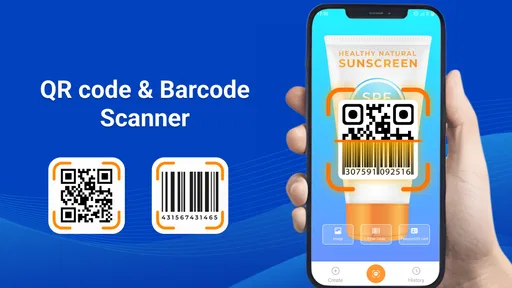
First things first, let’s talk about what this app does. The QR Scanner & Barcode Reader is exactly what it sounds like—a tool that lets you scan QR codes and barcodes with your smartphone. Now, I know what you’re thinking: "But why do I need this?" Well, let me tell you, it’s not just about scanning codes for fun. This app is a gateway to a world of quick information access, effortless shopping, and even a little bit of mystery solving.
Features That Stand Out
Okay, let’s dive into the features. The app is incredibly user-friendly. You just point your phone’s camera at any QR code or barcode, and boom, it reads it instantly. One feature I really appreciate is its ability to scan codes in low-light conditions, thanks to the flashlight toggle. No more fumbling around in the dark trying to get the scanner to work.
Worth Reading Before You Choose

EA SPORTS FC Mobile 26 Is a Bigger Football Game, but It Takes Time

Flipboard Shows What News Apps Must Do Beyond the Feed

Switching to Android Auto Means Rethinking Your Driving Routine

Google Calendar Makes a Crowded Week Easier to Manage

Ludo King Makes the Most of the Minutes Between Plans

Baby Panda World Brings Quick Play to Modern Phones, but Its Game Library Feels Busy
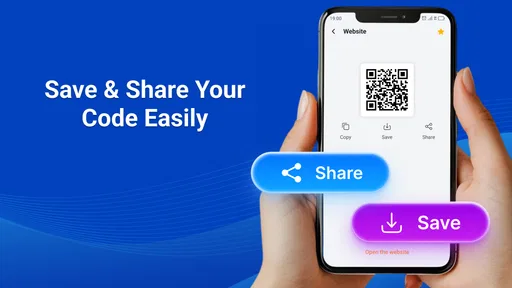
Another cool feature is the app’s history log. It keeps a record of all the codes you’ve scanned, which is perfect if you need to revisit any links or product details later. Plus, it supports a wide range of formats, from simple URLs to contact cards and even Wi-Fi network details. Talk about versatile!
Making the scan useful in daily life
So, how does this app fit into your daily life? Well, imagine you’re at a restaurant, and there’s a QR code on the menu. Instead of flipping through pages, you just scan and access the menu on your phone. Or, if you’re out shopping, scanning a product’s barcode can give you instant access to reviews and price comparisons. It’s like having a personal assistant who’s always ready to help.
A practical detail is to keep the result and the action separate. A barcode may identify an item, but useful price comparisons or reviews depend on what you do with that information and which services you consult. I wouldn’t assume every scan will produce a rich product page. If I’m comparing two items in a shop, I note the exact product details first, then check them in a retailer or comparison service I already trust.
For a realistic example, picture me arriving at a café with a menu code while my hands are full. I open the scanner, steady the phone, use the light if the table is dim, and check that the result is the café’s menu before following it. Later, if I want to revisit a code I scanned, the history log can save me from trying to find the original sign again. The useful benefit is not a fancy feature; it is avoiding a second trip back to the source.
And let’s not forget about those times when you’re stuck in a long line at a concert or event. Many venues now use QR codes for tickets. With this app, you can easily scan your ticket right from your phone, making entry a breeze.
Choosing the right scanner for the job
Compared with a phone’s built-in camera or a scanner already included in another app, a dedicated tool can be handy when I want scanning and a record of previous results in one place. The history log is particularly useful for things I may need again, such as a product code or a link from a notice. On the other hand, if I only scan occasionally, a built-in camera function may be quicker because I do not have to switch apps. The better choice depends on whether keeping scans together matters to you.
This app is a more natural fit for someone who regularly encounters printed codes and wants a focused utility for them. It is less compelling if your main goal is deep product research, managing digital tickets, or checking whether a website is safe. Those jobs call for the relevant retailer, ticketing service, or security-conscious browsing habits; a scanner can read a code, but it cannot replace those tools or your judgement.
When the app may not be the cause
If a code fails repeatedly, I would test the basics before assuming the reader is broken. Try another code, clean the lens, improve the lighting, and make sure the full code is visible. A damaged print, an expired or removed web page, or a code that points to a service that is unavailable can all make the overall experience disappointing even when the scan itself succeeds.
If a scan appears to work but the next step does not, I separate those two stages. First, check what the result actually contains; then decide whether to open it, copy details, or revisit it from history. A QR code can encode information without guaranteeing that the destination still works. For a link that behaves oddly, I would close it rather than repeatedly retrying, and use a trusted route to reach the organisation or service instead.
People sometimes ask whether this kind of scanner needs a connection. The app can read codes without an internet connection, but an online destination still needs connectivity to load. That distinction matters in a basement, on a train, or while travelling: scanning may succeed offline, while a menu page or product site may remain unavailable until service returns. I would keep that in mind before treating a blank page as a failed scan.
What to expect from the app
Start Up’s QR Scanner & Barcode Reader is a free tools app, with in-app purchases listed from $4.99 to $49.99 per item. It has an average rating of 3.2 from around 3.8 thousand ratings, alongside 411 written reviews, and has passed one million installs. It is rated for Everyone, was released on October 21, 2025, and version 1.2.3 is listed for devices running Android 8.0 or later. Those figures put it in a well-used but mixed-feedback part of the scanner category, so I’d approach it as a practical option rather than assume it will suit every phone and workflow.
The free entry point makes it reasonable to try for occasional scanning, but I would pay attention to any purchase prompt and decide whether an upgrade is actually useful for my needs before spending. If all I want is to read a menu or check a label now and then, I would first see whether the basic experience handles those tasks comfortably. If I need a scanner for work, frequent inventory checks, or dependable access to a particular service, I’d test it with the exact codes and routine I rely on before making it part of that process.
Privacy and Security
Now, I know some of you might be concerned about privacy. Rest assured, the app does not require an internet connection to scan codes, which means your data isn’t being sent to the cloud every time you use it. Plus, it’s lightweight and doesn’t hog your phone’s resources, which is always a plus in my book.
I still treat scanning and browsing as separate privacy decisions. Reading a code offline does not mean a website opened from that code is offline or private; a destination may behave like any other website once you visit it. I also avoid scanning random codes in sensitive situations just because they are convenient. For a shared device, I would be mindful that the history log can make earlier scans easy to revisit, which is useful to me but may not be desirable if other people use the same phone.
Practical verdict
In the end, the QR Scanner & Barcode Reader is one of those apps that you might not think you need until you actually use it. It’s practical, efficient, and surprisingly fun to use. Whether you’re an avid shopper, a frequent traveler, or just someone who loves having handy tools at your fingertips, this app is definitely worth checking out.
I’d recommend it most to people who want a straightforward way to scan both QR codes and barcodes and appreciate having a history to return to. I’d skip it if I only need an occasional scan and my phone’s camera already handles that well, or if I expect scanning alone to provide verified shopping advice or secure access to every destination. In those cases, the built-in camera or a purpose-built service is the more sensible choice.
So, go ahead and give it a try. You might find yourself scanning everything just for the fun of it. And who knows, you might even discover a new favorite product or two along the way. Happy scanning!
Pros
- Fast scanning with minimal lag.
- Supports multiple barcode formats.
- User-friendly interface design.
- Requires minimal permissions.
- Works offline for convenience.
Cons
- Contains ads in the free version.
- Limited customization options.
- No batch scanning feature.
- Occasional misreads in low light.
- Premium features are costly.
FAQs for QR Scanner & Barcode Reader
What features does the QR Scanner & Barcode Reader offer?
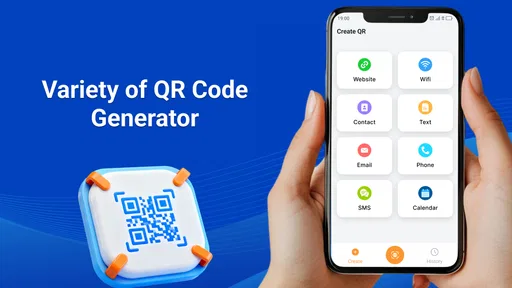
The QR Scanner & Barcode Reader app offers a range of features including quick scanning of QR codes and barcodes, history tracking of scanned items, and the ability to generate your own QR codes. It also supports multiple barcode formats and provides detailed product information, enhancing your shopping experience.
Is the app free to use, or are there in-app purchases?
The QR Scanner & Barcode Reader app is free to download and use, offering basic scanning features without any cost. However, there may be in-app purchases for premium features, such as ad-free experiences, cloud storage for scanning history, and advanced scanning tools. Check the app store description for more details.
Does the app require an internet connection to function?
The app does not require an internet connection for basic scanning of QR codes and barcodes. However, to access additional features like retrieving product information or sharing scanned data, an internet connection may be necessary. Offline functionality is robust, making it suitable for use in various environments.
Is the QR Scanner & Barcode Reader secure and safe to use?
Yes, the app is designed with user security in mind. It does not automatically open links found in QR codes, allowing you to review the URL before proceeding. Additionally, it does not store personal data, ensuring your scanning history remains private unless you choose to back it up to a cloud service.
What devices and operating systems are supported by the app?
The QR Scanner & Barcode Reader is available for both Android and iOS devices, supporting a wide range of phones and tablets. Regular updates ensure compatibility with the latest operating systems, providing a seamless and efficient user experience regardless of your device’s specifications.


